FLOYNEX AGENT SERVICES
Fast, Safe, Secure Neighborhood Financial Access
Affordable, Economical, and Secure Transactions
Welcome to the Floynex Agency Network. Our agent network is structured to give you the most economical, cheap, and secure financial services right within your neighborhood. Whether you want to fund your digital wallet or pull out physical cash, our certified agents are stationed everywhere to serve you instantly with zero friction.
Customer Notice: Visit any designated FLOYNEX AGENT SHOP near you to access either of our core physical services: DEPOSITS or WITHDRAWALS seamlessly!
How to Withdraw Cash from a Floynex Agent
Follow these simple, safe, and transparent steps to pull physical cash from any verified Floynex Agent shop. Ensure the agent number and shop number match correctly at the counter.
Open Side Menu
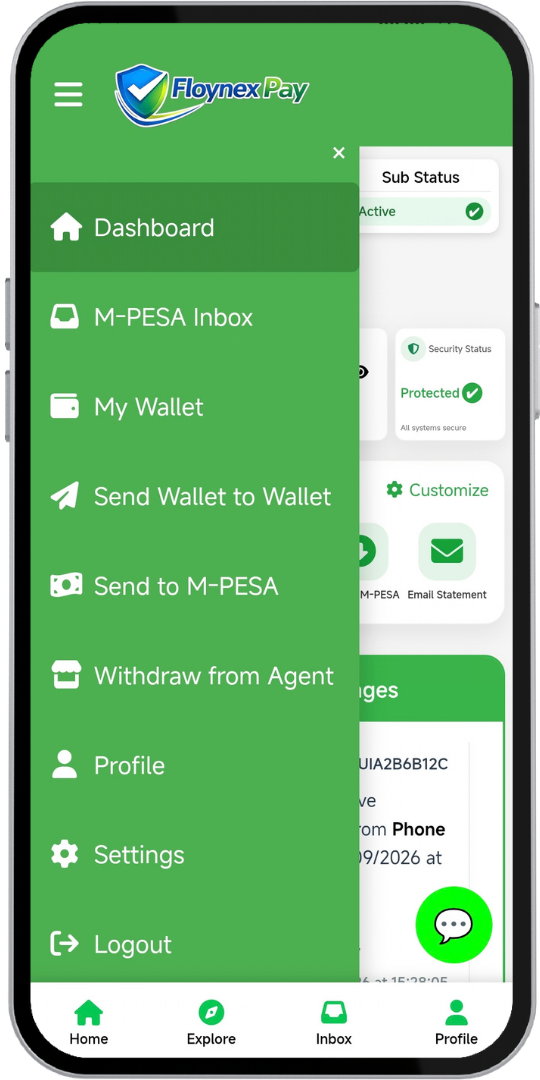
Open your Floynex Pay app dashboard and tap the menu icon at the top-left to open navigation options.
Select 'Withdraw from Agent'
From the side drawer options, locate and select the Withdraw from Agent tab to initiate the transaction interface.
Enter Agent & Shop Details
Input the official Agent Number, Shop Number (ensure agent and shop numbers match), and the precise withdrawal amount.
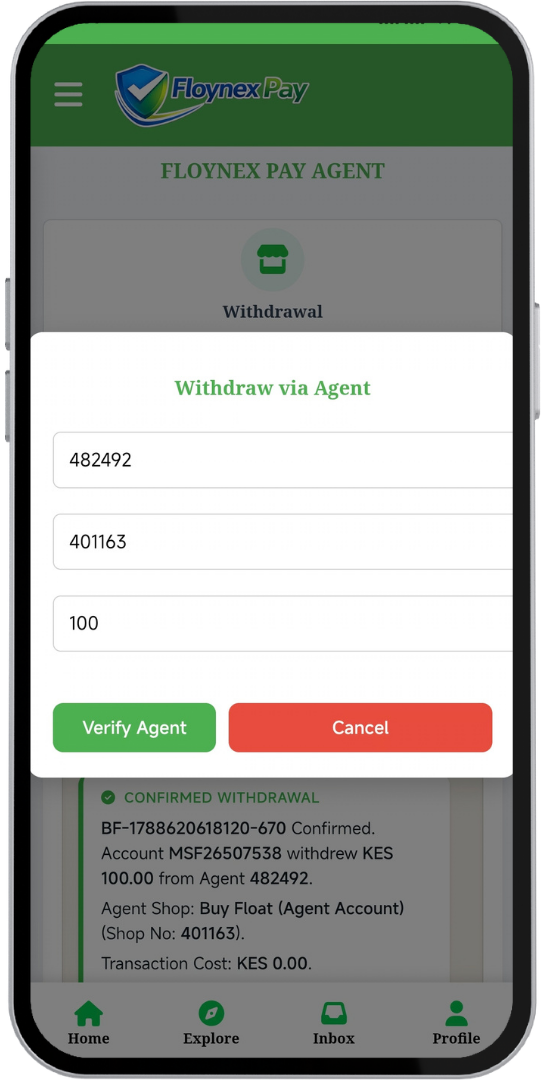
Confirm & Enter PIN
Review the prompt summary including shop name, amount, and transaction costs, then type your secure digital PIN to authorize.
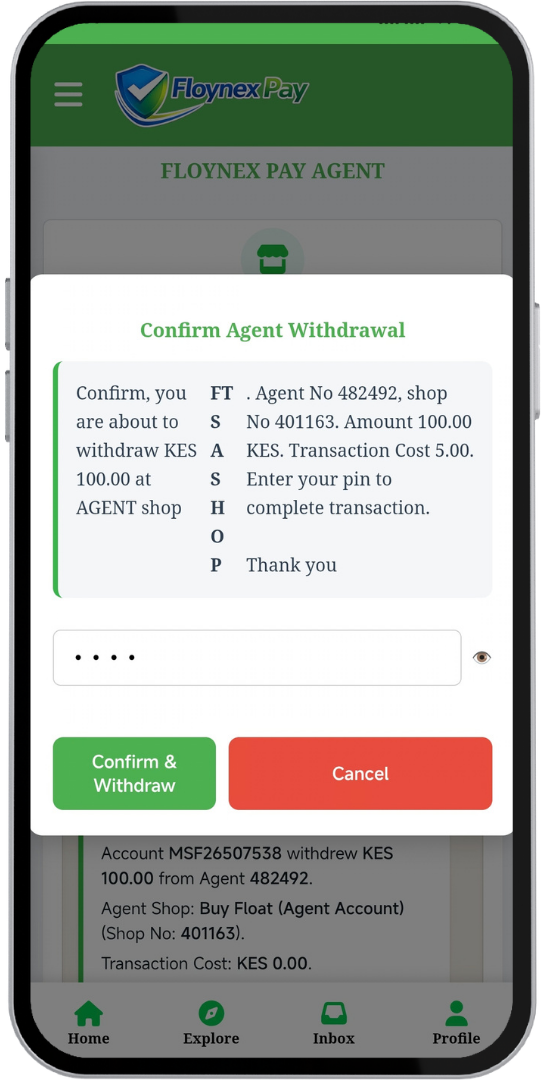
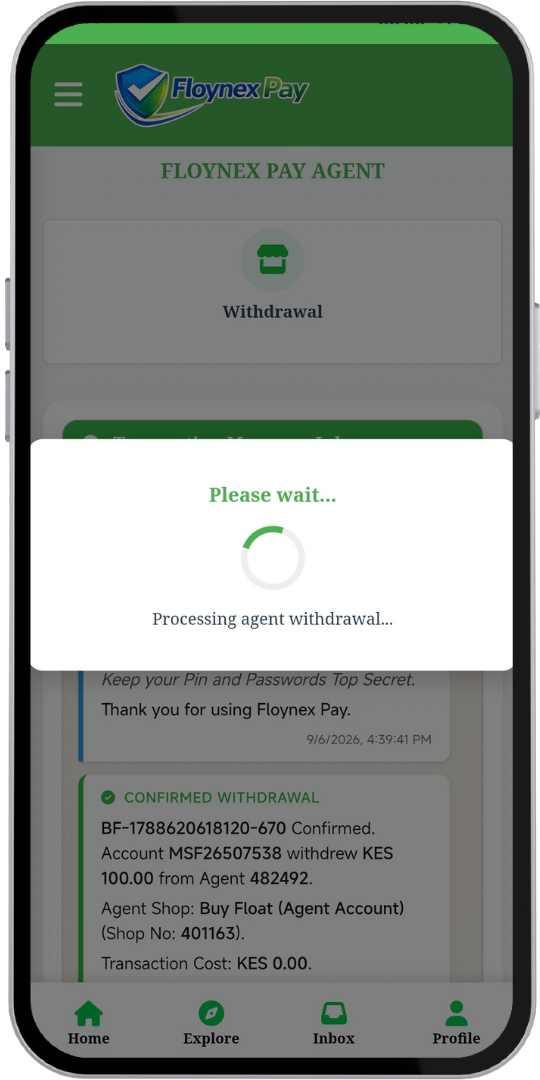
Instant Processing
Wait a moment as the system securely processes your agent withdrawal request in real time with instant ledger synchronization.
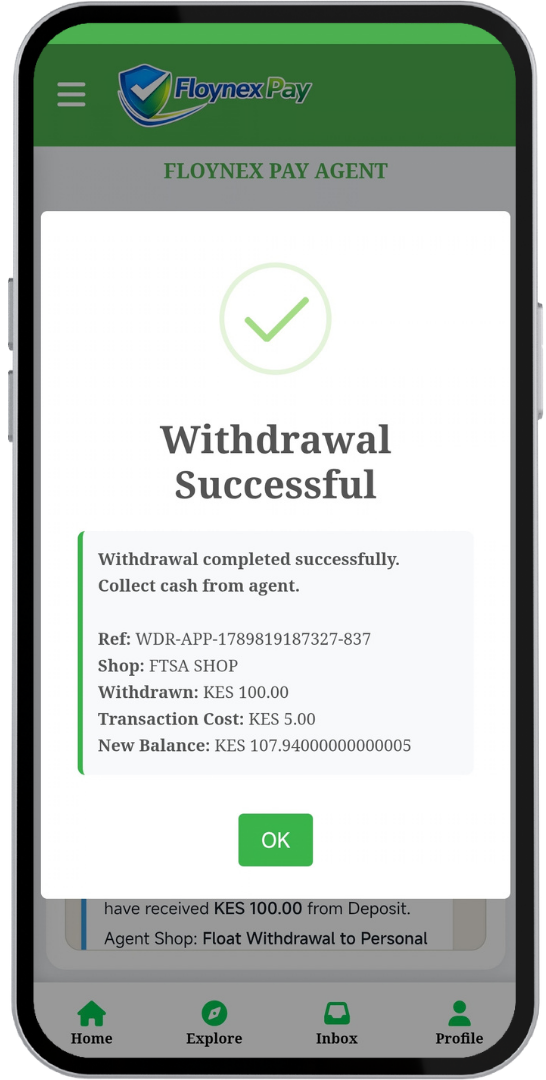
Instant Confirmation & Cash
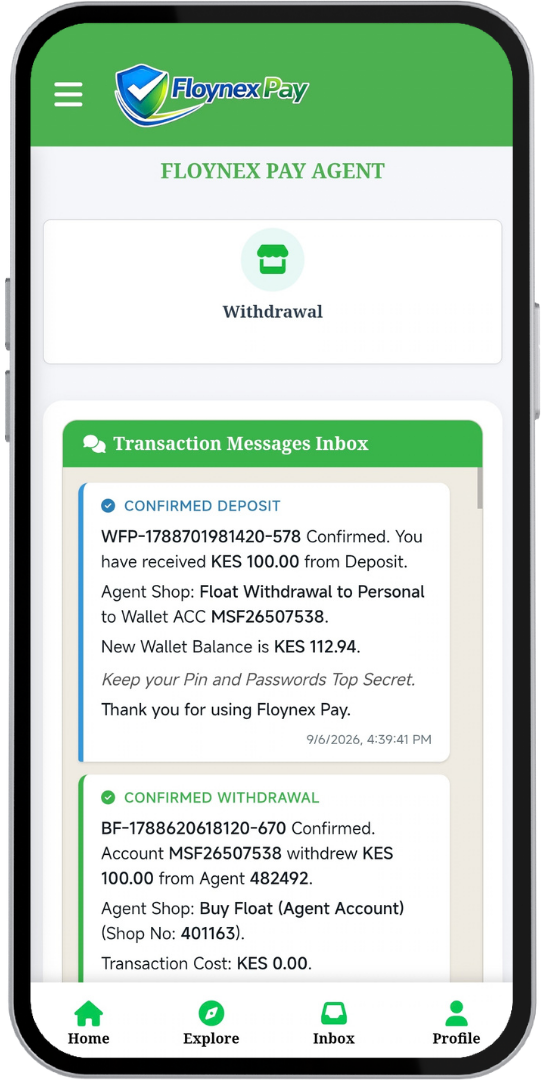
Receive instant confirmation message, collect your full withdrawal cash amount from the agent, and verify your new wallet balance.
How to Deposit Funds at a Floynex Agent Shop
Funding your Floynex digital wallet at any physical agent shop is simple, fast, and secure:
- Provide Physical Cash: Hand over the exact physical cash amount you wish to deposit to the certified Floynex agent.
- Provide Identification: You will be required to present a valid issued document used to register your wallet (such as your National ID Number or Passport Number). Document details must match your wallet profile registration.
- Provide Your Wallet Account: Give the agent your unique Floynex wallet account number (e.g., format starting with
MSFfollowed by 8 unique digits, likeMSF26507538).
Mandatory Security Notice
Customers must NOT leave the shop without confirming the transaction message in their Floynex app inbox and verifying that their updated wallet balance reflects correctly. Ensure your agent number and shop number match!
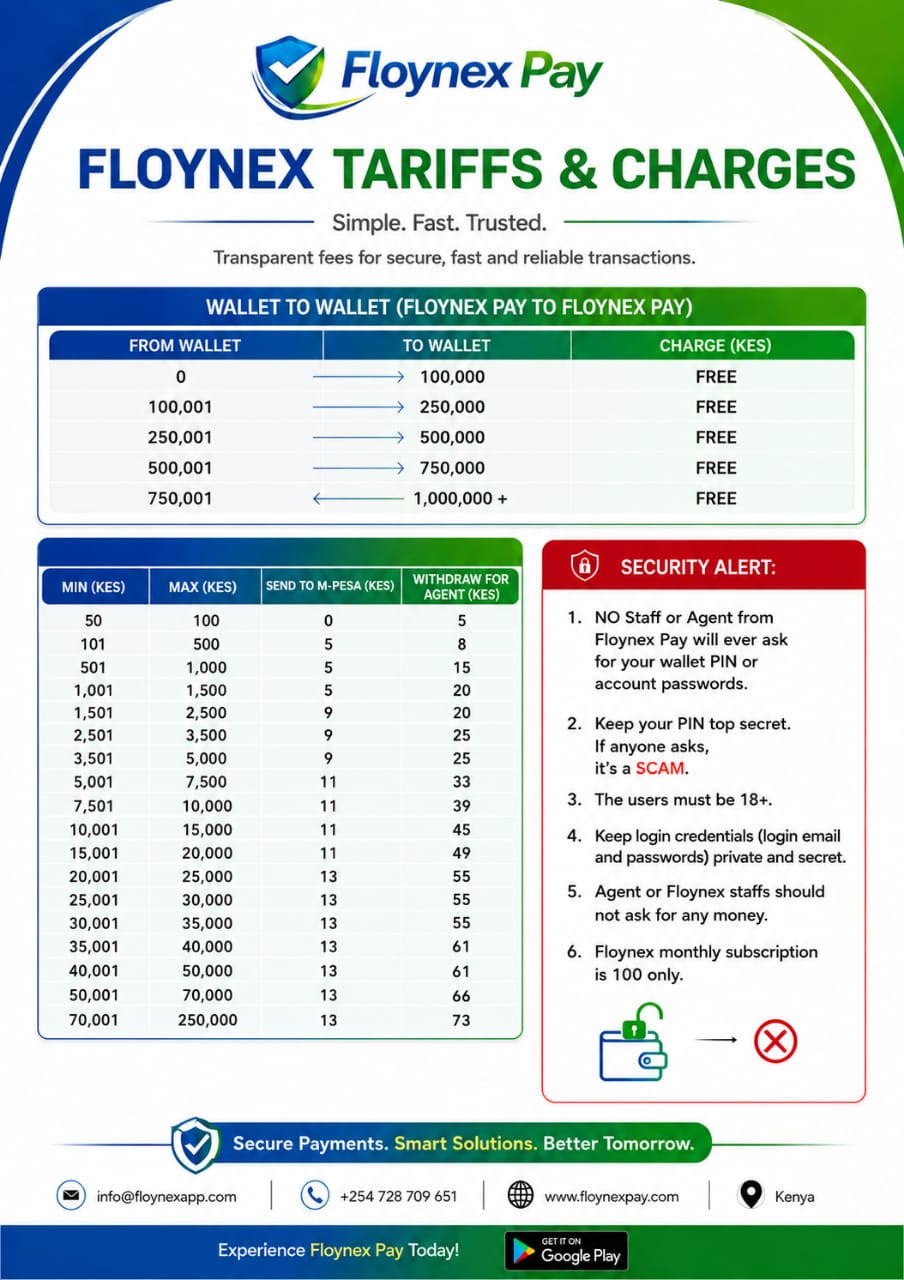
Official Floynex Agent Tariffs & Rates
View our transparent fee structure below. You can also download or view the full-size image file directly.